









In short
A TSA lock is a suitcase lock certified by the US TSA with two ways to open it: your personal combination and a master key for security authorities (TSA in the USA, CATSA in Canada). Look for the red diamond symbol; only such locks may be opened without damage, others may be broken open. Essential for USA and Canada.
Anyone travelling internationally – especially to the USA or Canada – can barely avoid TSA locks. In this guide, you'll learn what a TSA lock is, how to identify one, how to set it up step by step, and what to do if you've forgotten your code.
Setting a TSA lock in 3 steps
Factory setting is usually 0-0-0 – here's how to set your own code.
Open the lock
Set factory default 0–0–0 and open the lock. For used locks, use the old code.
Press the small button
Press and hold the side or top Set button with a pen or paperclip.
→ Set new 3-digit codeRelease the button
New code is saved. To test: scramble the wheels, then open again with the new code.
What is a TSA lock?
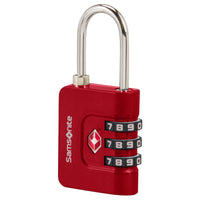
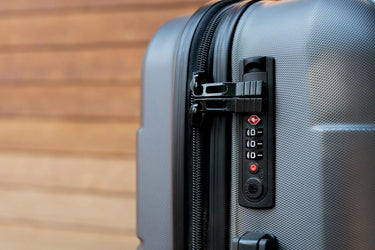
A TSA lock is a special combination lock for suitcases that has been certified by the Transportation Security Administration (TSA). It can be opened in two ways:
- Personal combination code: Only you can open your suitcase.
- Master key for security authorities: Organisations like the TSA in the USA or CATSA in Canada can inspect your suitcase without damage.
Many of our suitcases with TSA locks come already equipped – ideal for secure travel to countries with strict luggage controls.
How do I recognise a TSA lock?
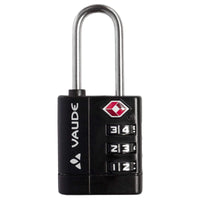
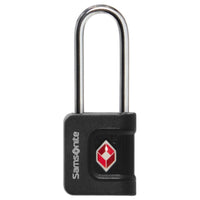
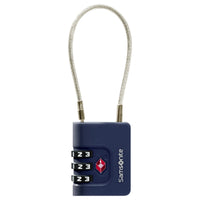
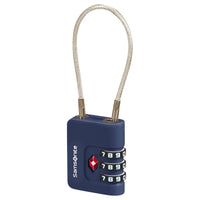
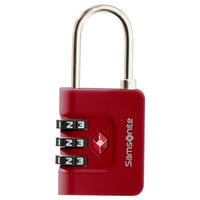
- Red diamond symbol: The official mark for TSA certification.
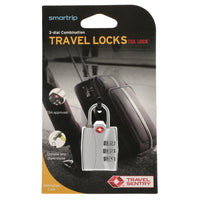
- Print saying "TSA" or "TSA Approved" directly on the lock.
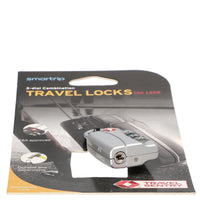
- Information in the product description or on the packaging.
Why is a TSA lock useful?
- Protection from damage: Your suitcase won't be forced open during an inspection.
- Faster inspection: Officers can easily check luggage and close it again.
- More security: Your luggage remains locked to third parties – only authorised bodies have access.
Passende Produkte aus unserem Shop